 Pricefort
Getting started with Pricefort
Set up price parity monitoring in about five minutes.
Install Pricefort
Install Pricefort from the Shopify App Store. After installing you land in the Pricefort dashboard inside your Shopify admin.
Get your Faire API key
Log in to your Faire brand account and open Settings, then the API or Developer section. Generate a new API key and copy it. Your Faire shop must be active, because Faire only returns listings that are live on the marketplace.
Connect your Faire account
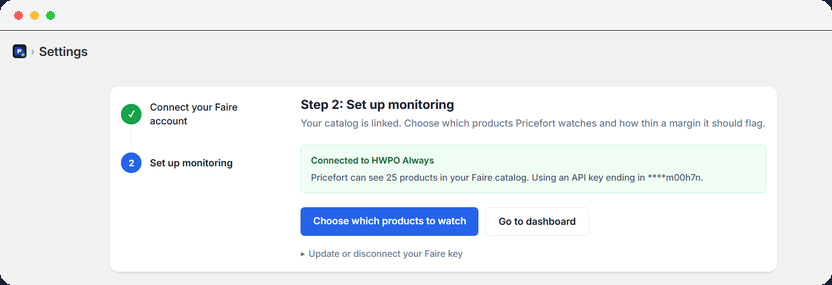
In Pricefort, open Settings. Paste the key into the field and click Connect. Pricefort checks the key and confirms the connection, then loads your Faire catalog. You can choose which products Pricefort watches and how thin a margin it should flag.
Review your dashboard
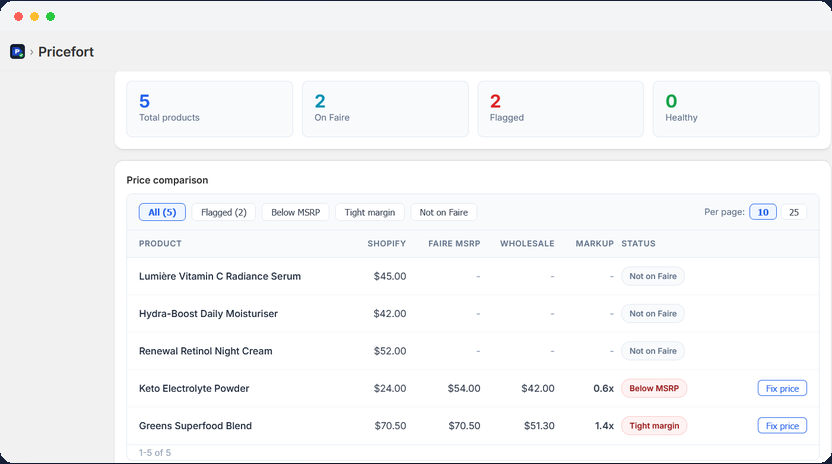
Go back to the dashboard. Pricefort fetches your Shopify products and your Faire listings and compares them side by side. Green means healthy pricing, yellow a warning, red a critical issue, and grey a product that was not found on Faire.
Fix flagged prices
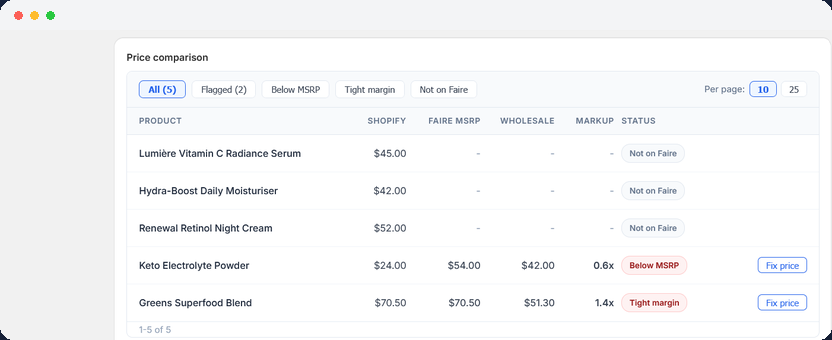
Any product marked Below MSRP or Low margin shows a Fix price button. Click it to set that product's Shopify price to your Faire MSRP. You can also change the price yourself in the Shopify product editor.
Manage your alerts
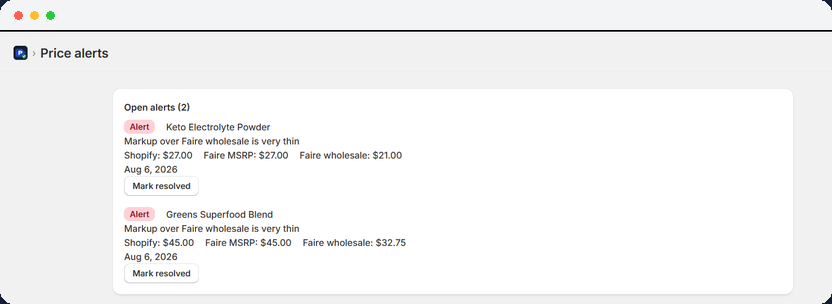
Open Alerts in the left navigation to see the full history of flagged products. When you have fixed a price, click Mark resolved. Resolved alerts move to your history and do not return unless a new discrepancy is found.
Check back regularly
Pricefort fetches fresh data each time you open the dashboard. There is no background schedule, so make it part of your routine when you update Shopify prices or launch new Faire products.