 Pricefort
Connect with one key
- Paste your Faire API key and your catalog loads
- Choose which products to watch and how thin a margin to flag
- Read only on the Faire side: nothing on Faire changes
For brands that sell on Shopify and Faire
Pricefort puts your Shopify prices next to your Faire wholesale listings and flags every product priced below your Faire MSRP, or with a markup too thin to keep your retailers whole.
Free to install. You need a Faire brand account and its API key.
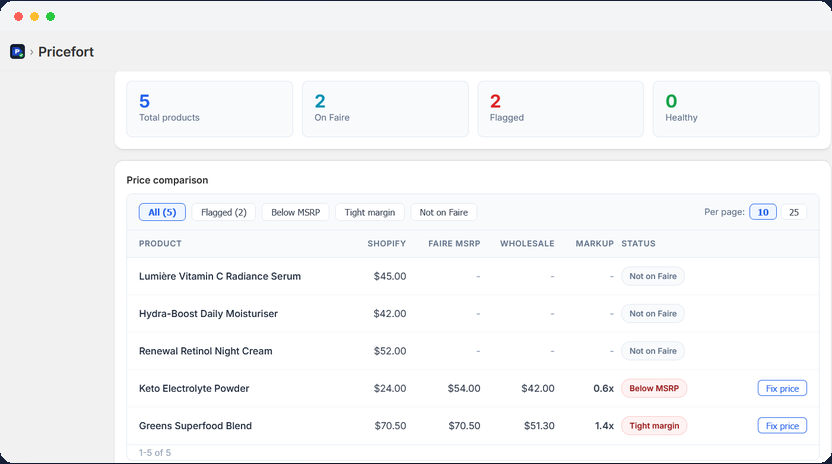
What it flags
No spreadsheet, no guessing. Pricefort reads both catalogs and sorts each product into one of these.
Your Shopify price is lower than the MSRP you set on Faire. Retailers see you selling for less than you told them to.
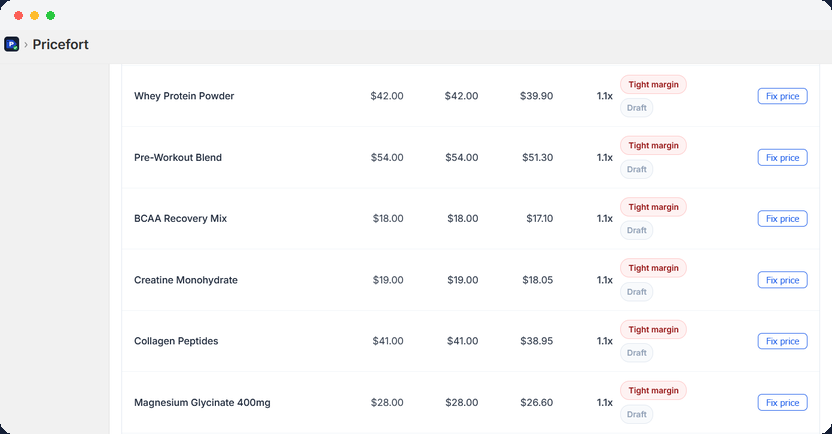
Your Shopify price is under 1.5 times your Faire wholesale price. There is almost no room left for a retailer to profit.
Your markup sits between 1.5 and 2 times wholesale. Not broken, but close enough to keep an eye on.
Prices look healthy across every check. Products not found on Faire show as grey so nothing is hidden.
How it works
Install, paste one key, and your first comparison is on screen. The full guide has every step.
You land in the Pricefort dashboard inside your Shopify admin.
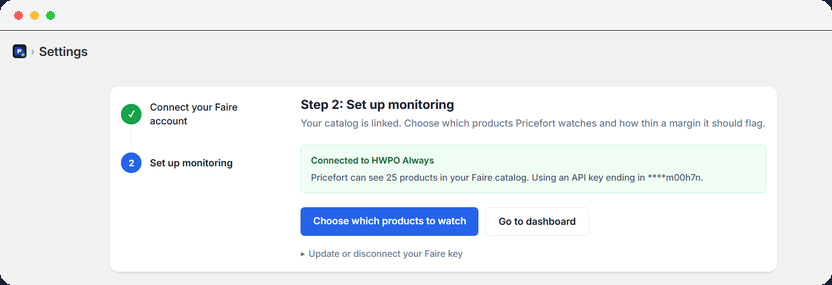
Generate an API key in your Faire brand settings, paste it into Pricefort Settings, and click Connect.
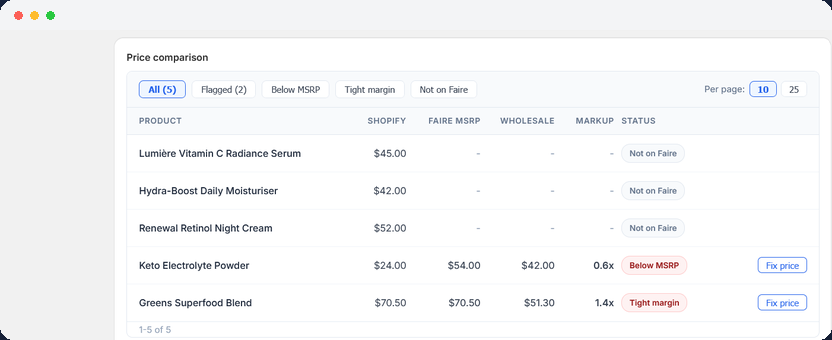
Open the dashboard. Your Shopify products and Faire listings appear side by side, color coded.
Click Fix price to set a Shopify price to your Faire MSRP, then mark the alert resolved.
Pricefort checks when you open the dashboard. It does not watch in the background, so make it part of your routine when you change prices or launch products.
Inside the app
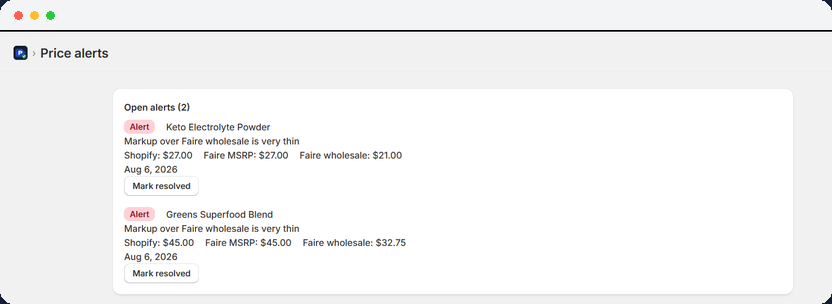
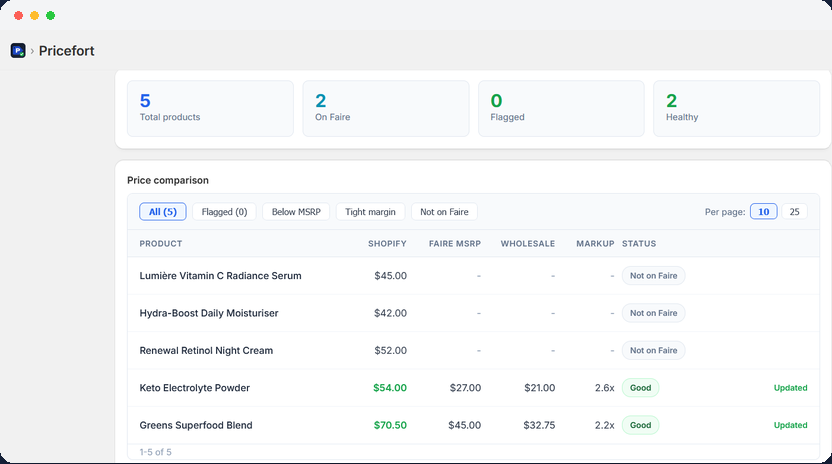
Your data
We do not sell or share your data. Read the privacy policy.
Pricefort is built by HWPO Always, a team that sells on Faire and Shopify itself. If you have a question, a real person answers within one business day.
Questions
Yes. Pricefort connects to the Faire Brand API with an API key from your Faire account, under Settings and API.
By product title, ignoring capitalization. If the same name appears in both places, Pricefort compares the two prices. A product that exists on Faire under a different name shows as Not on Faire.
No. Pricefort only reads Faire. The only thing it can write is a Shopify price, when you click Fix price.
Not yet. Prices are fetched fresh each time you open the dashboard, and alerts are created from that view.
Install Pricefort, paste your Faire key, and see where your Shopify prices stand today.